Best Link in Bio Pages: A 10-Point Quality Test
The best link in bio pages make three things clear almost immediately: whose page you reached, what is most useful right now, and what will happen when you tap. They do not need the most links or the most elaborate theme. They need a deliberate order, descriptive choices, and a page that still works on a phone after real content has been added.
Use the 10-point test below to judge your own page or compare two drafts. Give one point for every statement that is fully true. A strong page should earn at least eight without relying on explanations that exist only in your head. If it scores lower, fix the first failed item before changing colors, fonts, or animations.
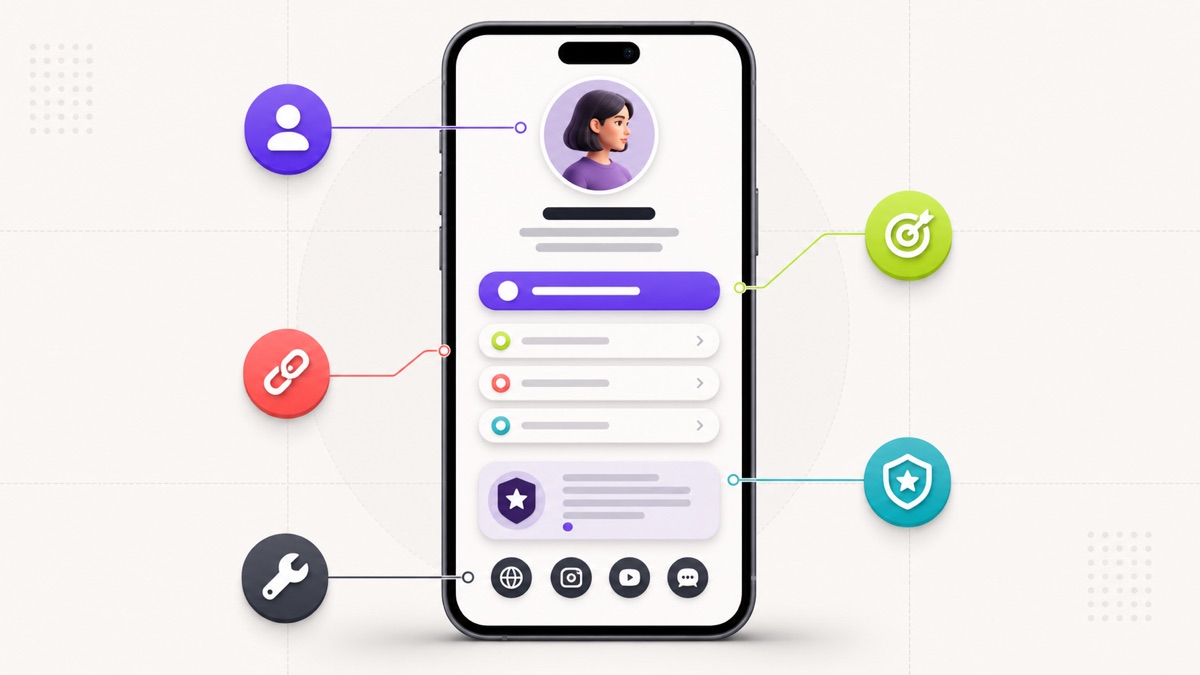
The 10-point link in bio page test
| Check | A good page can answer yes |
|---|---|
| 1. Identity | A first-time visitor can identify the person, brand, or business. |
| 2. Promise | One short line explains what the page offers or who it helps. |
| 3. Priority | One action is clearly more important than the rest. |
| 4. Continuity | The first action matches the post, profile, or campaign that sent the visitor. |
| 5. Labels | Each button describes the destination or outcome. |
| 6. Structure | Supporting links are distinct, ordered, and grouped when necessary. |
| 7. Trust | Proof, context, contact details, or disclosures appear where the decision requires them. |
| 8. Mobile use | Text is readable and controls are comfortably tappable on a narrow screen. |
| 9. Destination quality | Every live link loads and fulfills the label's promise. |
| 10. Maintenance | Dates, offers, “latest” links, and availability are current. |
This is an editorial quality test, not a promise that an eight-point page will produce a particular click or sales rate. Audience intent, traffic source, offer quality, and the destination after the tap all matter. The score is useful because it reveals avoidable friction before you send more visitors to the page.
1. The page identifies who it belongs to
A good bio page begins with recognition, not navigation. Use a current profile image or logo, a display name people already associate with the profile, and enough context to distinguish the page from an imitation or abandoned account.
The test is simple: cover the social handle that sent you there and look only at the page. Can you tell whose page it is? A creator called Maya Chen may need a clear portrait, her full name, and “food photographer and workshop host.” A neighborhood restaurant may need its logo, full name, city, and cuisine. A consultant may need a name, specialty, and the type of client served.
Do not turn the identity block into an autobiography. Its job is to confirm the destination and frame the choices below it. Long origin stories, dense credential lists, and several competing taglines push the first useful action down the screen.
2. The promise explains why the page is useful
The strongest page descriptions are specific enough to guide the next tap. “Creator” describes a person, but not a reason to continue. “Weekly camera lessons for solo filmmakers” establishes a subject and cadence. “Family photography in South Austin” establishes a service and location. “Seasonal Korean cooking in Manchester” establishes what a guest can expect.
A useful promise does not need hype. In fact, unsupported superlatives make a small page feel less trustworthy. Prefer a concrete subject, audience, location, or outcome you can stand behind.
If the page serves several roles, name the unifying idea rather than listing every role. A musician who also sells prints, teaches workshops, and publishes a newsletter might use “Songs, field recordings, and notes from the road.” The links can explain the formats.
3. One action has visible priority
“Primary” means a visitor can identify the first action without reading every button. Position is the clearest signal: the primary action normally belongs immediately after the identity block. Visual treatment can reinforce it with a stronger color, an image card, or a little more space, but it should not need flashing effects to win attention.
Choose that action from the current purpose of the page. A creator promoting a new documentary might lead with “Watch the 12-minute film.” A consultant with an open cohort might lead with “See the September workshop.” A restaurant may lead with “Reserve a table.” A shop running a launch may lead with the collection rather than its generic homepage.
If every button has the same size, color, icon, and spacing, the visitor receives a list but no recommendation. That can be acceptable for a small reference directory, but it is rarely the best structure for a campaign. Compare the four practical link in bio layouts when you need to decide whether the page should behave like a creator hub, service page, launch page, or one-goal page.
4. The first action continues the visitor's journey
A page can be tidy and still feel wrong if it ignores what brought the visitor there. Someone who taps after a post promising a packing checklist should not have to choose among “My website,” “Latest,” and “Resources.” The first action should name the checklist. Someone arriving from a restaurant's weekend-menu post should not meet an old catering promotion at the top.
Continuity matters more than a permanently fixed order. Ask: what promise did the profile, post, email, QR code, or recommendation make immediately before this page? The page should either fulfill that promise directly or explain the next step.
The destination does not always have to be another short landing page. The guide to choosing between a link in bio page and a website explains when a focused hub should route into a deeper service, product, or information page.
This is why “set and forget” pages gradually weaken. The top link may have been logical during a launch and irrelevant a month later. Keep durable links underneath, but allow the first position to change with the active journey.
5. Button labels describe what happens next
Good labels remove uncertainty. “View the family-session portfolio” is clearer than “Portfolio.” “Compare coaching options” is clearer than “Work with me.” “Get directions to the Queen Street studio” is clearer than “Location.” Specific language also helps a visitor distinguish two links that might otherwise look like duplicates.
The accessibility case is equally direct. The W3C's guidance on link purpose in context says users should be able to understand what each link will do from its text or its programmatically determined context. That supports a practical editorial rule: write a button so it remains meaningful when read apart from the surrounding design.
Avoid a page full of “Learn more,” “Click here,” “Website,” and “New.” If a label depends on a nearby image, confirm that the relationship is still clear to someone using assistive technology or scanning quickly. For a deeper copy exercise, use the guide to clear call-to-action buttons for bio pages .
6. Supporting links form a coherent route
After the primary action, each supporting link should do one of three jobs:
- answer a question needed before the primary action;
- serve a distinct, credible secondary intent; or
- let the visitor continue the relationship elsewhere.
For a photographer, the route might be portfolio, session guide, availability, studio directions, and enquiry. For a newsletter writer, it might be latest issue, subscribe, recommended essay, and archive. For a restaurant, it might be reservations, current menu, directions, ordering, and group enquiries.
This does not mean every page needs five links. It means the order should tell a story. Remove duplicate buttons that lead to nearly the same destination. Demote familiar social profiles to compact icons when a label adds no useful information. Add section headings when a larger resource page genuinely needs groups such as “Start here,” “Watch,” and “Download.”
When the list has grown through months of small additions, use the seven-step system for organizing bio links . It starts with an inventory and visitor intent rather than an arbitrary maximum.
7. Trust appears next to the decision that needs it
Trust is not a row of decorative badges. It is the right evidence or context at the point where someone may hesitate.
- A consultant may need a short case-study link and a plain description of the engagement before the booking calendar.
- A photographer may need a relevant portfolio and session guide before the enquiry form.
- A restaurant may need a current menu, location, and accessibility information before a reservation.
- An affiliate creator may need a clear commercial disclosure beside recommendations.
- A nonprofit may need a specific explanation of where a campaign contribution goes before the donation button.
If a link can earn you money or a brand relationship could affect how a recommendation is understood, do not bury that relationship in a generic footer. The US Federal Trade Commission's influencer disclosure guidance says material relationships should be obvious and disclosures should be placed where people are likely to notice them.
Contact details also need judgment. A business that expects enquiries should offer a maintained route and set an accurate expectation. A creator who does not accept pitches should not publish an inbox simply to make the page look professional.
8. The page works comfortably on a phone
Judge the live page at phone width, not only inside a generous desktop editor. Check the first screen, then scroll with one hand. Long titles should wrap without covering icons. Buttons should remain easy to distinguish. Images should not force sideways scrolling. A consent banner, chat widget, or embedded media player should not cover the main action.
Two measurable accessibility checks belong in this review:
- The W3C's Level AA explanation for minimum target size describes a 24-by-24 CSS-pixel target, with specific exceptions and spacing provisions. Full-width buttons with comfortable gaps are usually easier to use than tightly packed small controls.
- The W3C's minimum text contrast guidance uses a 4.5:1 ratio for normal text in the usual case, with a lower threshold for qualifying large text. Test the actual text and background combination; do not judge contrast by taste alone.
Load the page on a normal mobile connection as well as Wi-Fi. The Core Web Vitals framework treats loading, responsiveness, and visual stability as distinct parts of the experience; Google's current Web Vitals overview explains the metrics and thresholds. You do not need to turn a simple bio page into a performance laboratory, but a decorative video or oversized image should not delay the action people came to use.
9. Every destination fulfills its promise
The bio page is only the first half of the journey. Open every destination in a private or signed-out session and ask whether it works for a visitor who lacks your account access and background knowledge.
Look for:
- expired campaign pages;
- forms that require an unexpected login;
- store links that open a generic homepage instead of the named collection;
- calendar links with no available dates or no explanation;
- documents that are unreadable on mobile;
- map pins for an old address;
- duplicate tracking redirects that make the destination look suspicious; and
- link labels that promise a resource the page no longer contains.
Do not award this point because the button technically returns a page. The destination must match the promise. A live but irrelevant link is still a broken reader journey.
10. The page has an owner and a maintenance rhythm
The best link in bio pages look current because somebody is responsible for them. That person does not need to redesign the page every week. They do need to remove closed offers, update dated availability, replace stale “latest” links, and verify that the primary action still matches the current profile.
Use two rhythms:
- Campaign check: update the page whenever a launch, event, menu, availability window, or featured piece of content changes.
- Monthly check: open every destination, scan labels in order, review the page at phone width, and remove anything that no longer earns its place.
Put the review on a real calendar and name the owner. “The marketing team” is not an owner if nobody knows who has the login or source files.
Four mini audits: how the test changes by goal
The same 10 checks apply across niches, but “best” looks different because the visitor's job changes.
Creator releasing a video
The page earns the priority and continuity points when the named video appears first, followed by one owned-audience action such as a newsletter and a few durable channel routes. It loses points when three old “latest video” buttons remain or every social network appears twice.
Consultant seeking qualified enquiries
The page should identify the specialty, state who the service is for, explain the offer, provide relevant proof, and then offer a clear enquiry or fit-call route. A calendar at the top is not automatically better if a first-time visitor cannot understand what they are booking.
Online shop running a collection launch
The current collection can lead, with size or product guidance and shipping or support information nearby. The page loses destination-quality points when “Shop the autumn collection” opens an unfiltered store homepage or when the launch remains prominent after stock is gone.
Local service business
A salon, studio, clinic, or restaurant should make the common local task easy: book, reserve, view services, check maintained hours, or get directions. Trust comes from accurate practical information, not generic claims. The small-business link in bio setup guide shows complete button orders for restaurants, appointment businesses, shops, and local services.
A 15-minute audit you can run today
Set a timer and use the live public URL, not the editor preview.
- First minute: look at the first screen for five seconds. Write down whose page it is and the action that appears primary. If either answer is unclear, mark checks 1–3 for revision.
- Minutes 2–5: read only the button labels from top to bottom. Rewrite vague or duplicate labels and note where the order stops making sense.
- Minutes 6–10: open every destination in a signed-out window. Record broken promises, stale content, access problems, and duplicate routes.
- Minutes 11–13: review at a narrow phone width. Check wrapping, contrast, tap comfort, overlays, media, and horizontal scrolling.
- Minutes 14–15: assign all 10 points and choose the first failed item to fix.
Do not respond to a low score by adding more. A missing promise may need one line of copy. Weak priority may need a reorder. Poor trust may need one relevant proof link. Maintenance debt often needs deletion.
What the best pages deliberately leave out
A page can look polished while carrying unnecessary weight. Strong pages commonly leave out:
- a full biography that belongs on an About page;
- every social post or product ever published;
- duplicate buttons to the same homepage;
- vague claims that cannot be supported;
- autoplay media that competes with the main task;
- expired launches kept for sentimental reasons;
- contact routes nobody monitors; and
- visual effects that make labels harder to read.
Restraint is not minimalism for its own sake. It gives each remaining element a clear job.
Frequently asked questions
What should the best link in bio page include?
It should include recognizable identity, a short promise, one primary action, a small set of distinct supporting links, and the context a visitor needs to trust or complete the next step. Contact details, proof, media, maps, forms, or disclosures belong only when the page's job requires them.
Is a simple link in bio page always better?
No. Simple is useful when it removes irrelevant choices, but an underspecified page can create just as much friction as an overloaded one. A service buyer may need scope and proof. A restaurant guest may need the menu and directions. The right page contains the minimum complete journey, not the fewest possible blocks.
Should every page have one main button?
Most campaign, service, and creator pages benefit from one visible priority. A true directory or resource library may support several equal routes, but it should still use descriptive groups and labels. “One primary action” is a default that forces a useful decision, not a universal law.
How often should a link in bio page be updated?
Update it whenever the campaign, availability, featured content, or offer changes, and run a full destination check monthly. Time-sensitive businesses may need more frequent checks. A stable professional page may change less often, but its links should still be verified.
Build the page around the next useful action
The best link in bio page is not the one with the longest feature list. It is the one a real visitor can understand, use, and trust without solving a puzzle.
Start with the 10-point test. Fix the first failed item. Then check the journey again from the profile or post through to the final destination. If you need a clean place to build and test that structure, you can create a Belink page and preview the hierarchy before sharing it.