Link in Bio vs Website: Which Do You Need?
A link in bio page and a website are not interchangeable. A link in bio page is a focused routing page: it helps someone choose a useful next step from a short list. A website is a larger home for information, search-friendly pages, transactions, and deeper journeys. If you have one clear offer and most visitors arrive from social media, a bio page may be enough to start. If people need to research, compare, browse, or complete a multi-step task, build a website. Many established creators and small businesses should use both.
The simplest way to decide is to ask what a visitor must do after arriving. Do they need a fast route to a booking form, latest video, menu, product, or newsletter? Start with a bio page. Do they need service details, case studies, policies, a product catalog, an archive, or several pages that can answer different searches? That is website work.
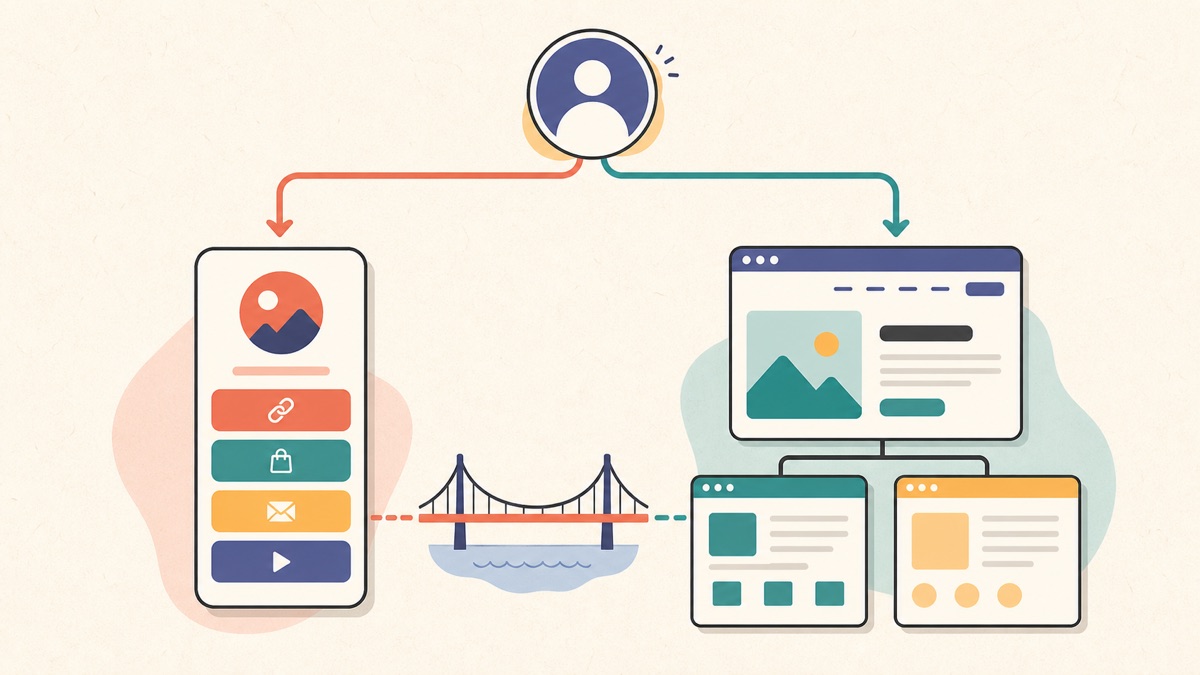
Link in bio vs website at a glance
| Question | Link in bio page | Website |
|---|---|---|
| Primary job | Route a visitor to a few current actions | Explain, prove, organize, and support deeper tasks |
| Typical structure | One short page with a clear hierarchy | Several pages with navigation and topic depth |
| Best entry traffic | Social profiles, QR codes, messages, event campaigns | Search, referrals, direct visits, research-heavy buyers |
| Content that fits | Featured link, booking, current offer, key channels | Services, products, case studies, articles, policies, support |
| Maintenance pattern | Reorder and replace time-sensitive links | Maintain pages, navigation, technical health, and content |
| Main failure mode | Too many equal buttons with no recommendation | Too much navigation before the visitor can act |
These are roles, not technical limits. A bio page can use a custom domain, and a website can contain a one-page campaign hub. What matters is the visitor journey you design, not what the software vendor calls the page.
What a link in bio page is for
A link in bio page sits between a profile and several destinations. It gives one public URL a small, deliberate menu of next steps. If the term is new to you, the guide to what a link in bio page is covers the basic format and common uses.
The page earns its place when the visitor's next action cannot be represented by one permanent destination. A food creator may need to feature a new recipe, a newsletter, a cookbook, and a YouTube channel. A photographer may need a portfolio, session guide, availability form, and studio directions. A restaurant may need reservations, its current menu, ordering, and a map.
That does not mean every possible destination belongs on the page. A good link hub makes a recommendation. It identifies the person or business, explains the promise in one line, gives one action visible priority, and keeps only the supporting routes that still help.
Choose a bio page when speed of decision matters
A focused bio page is a sensible starting point when:
- most visitors come from one or two social profiles;
- you need one URL but have several legitimate destinations;
- the featured destination changes with launches or new content;
- visitors already know enough about you to choose an action;
- you are validating an offer before investing in a larger site; or
- your full website exists but its homepage is not the right landing page for social traffic.
For example, a freelance illustrator who gets work through Instagram may not need a 20-page site on day one. A clear page with “View editorial work,” “See package design,” “Check current availability,” and “Send a project enquiry” can support the immediate job. If prospective clients begin asking for detailed process notes, case studies, licensing terms, or an archive, those are signs that a website would add useful depth.
A bio page is not automatically simpler for the visitor
One page can still be badly organized. Fifteen identical buttons require more interpretation than a small website with descriptive navigation. A label such as “Website,” “New,” or “Click here” also hides the outcome.
Both Google and the W3C recommend descriptive link text. Google's link best practices explain that anchor text helps people and Google understand the destination, while the W3C's link-purpose technique says the link text should let a user distinguish the destination and decide whether to follow it. On a bio page, that means “View September workshop dates” is more useful than “Learn more.”
What a website is for
A website gives related information separate addresses and a navigable structure. That matters when visitors arrive with different questions or need more evidence before acting. A service business might have pages for each service, a portfolio, an About page, client stories, FAQs, and a contact form. A shop may need collections, individual products, delivery information, returns, and customer support. A publication may need topic archives and individual articles.
Those pages can also be discovered independently. Google says it primarily finds pages through links from pages it has already crawled, and recommends linking every important page from at least one other page. Its SEO Starter Guide also advises organizing a site logically so users and search engines can understand how pages relate. A multi-page website gives you room to build those distinct, connected resources.
This does not mean “website equals rankings.” Publishing more URLs does not guarantee that Google will index them, rank them, or send useful traffic. Each page still needs a real purpose, original content, crawlable links, and a clear place in the site. A five-page site that answers customer questions can be more useful than 50 thin pages created only to target phrases.
Choose a website when the journey needs depth
A website becomes the better foundation when:
- different services or products need their own explanations;
- buyers compare options, proof, pricing structure, or process before contacting you;
- search is an important discovery channel;
- you publish articles, resources, episodes, or projects that need an archive;
- legal, delivery, support, accessibility, or policy information must remain easy to find;
- visitors need accounts, checkout, complex forms, filters, or other multi-step functions; or
- several team members, locations, or audiences need durable sections.
Imagine a consultant who offers executive workshops, team training, and a retained advisory service. A bio page can feature the current workshop and an enquiry link. It cannot responsibly replace clear service pages if buyers need scope, format, audience, proof, and a way to compare the three engagements. The website carries that explanation; the bio page routes social visitors into the right part of it.
Do you still need a website if you have a link in bio?
You do not need a full website merely to look established. You need one when it solves a visitor problem that a focused page cannot solve cleanly.
Start without a full site if you have a narrow offer, a small number of destinations, and no meaningful archive or search strategy yet. That can be the honest minimum for a new creator, a short campaign, a waitlist, or a professional testing demand. Put the saved effort into better examples, clearer offer language, and a destination that actually works.
Build the website when the bio page starts carrying information instead of routing to it. Warning signs include paragraph-length button labels, several buttons for variations of one service, downloadable policies hidden in the link list, or visitors repeatedly asking questions that deserve permanent answers. At that point, the page is trying to become a website without gaining a website's structure.
The decision is reversible. A strong bio page can remain the social front door after the website launches. A small website can also add a focused social landing page later. You are choosing the next useful layer, not signing a lifetime contract with one format.
When using both is the strongest setup
For many businesses, the useful model is not link in bio or website. It is:
social profile → focused bio page → specific website page → action
Each layer has one job. The social post creates interest. The bio page keeps the promise visible and offers the right route. The website page supplies the detail needed for a decision. The final form, store, calendar, or contact method completes the task.
Consider a neighborhood ceramics studio promoting autumn classes:
- An Instagram Reel shows a beginner wheel-throwing class.
- The profile link opens a bio page where “Book the beginner class” is first.
- That button opens the website's class page, not the generic homepage.
- The class page explains dates, skill level, accessibility, materials, cancellation terms, and remaining places.
- The booking flow starts from that specific page.
The bio page prevents the social visitor from hunting through a broad homepage. The website prevents the bio page from compressing essential details into a stack of vague links.
Do not add an unnecessary middle step
Using both does not mean every visitor must pass through both. If a post promotes one product and the profile can link directly to that product, a routing page may add friction. If the profile serves several active campaigns or the platform gives you one durable profile URL, the hub may be justified.
Review each path from the visitor's perspective. Count the decisions, not only the clicks. One extra tap can be harmless when it replaces confusion with a clear choice. It is wasteful when the page merely repeats the same “Visit our website” destination the visitor could have opened directly.
Software companies often need both layers because a permanent profile link may serve feature launches, educational posts, customer stories, and existing users at the same time. The SaaS link in bio setup guide shows how to make that short routing layer useful without copying the product website's full navigation.
Four real-world decisions
Creator with a growing content library
Start with a link in bio page if the main jobs are to feature current content, collect newsletter signups, and point to a few channels. Add a website when the creator needs a searchable archive, resource library, speaking page, press information, or owned articles. Keep the bio page as the current editorial front door rather than turning it into the full archive.
Freelancer selling one clear service
A focused page can be enough when it identifies the specialty, shows selected work, explains the next step, and sends qualified people to an enquiry form. Add a website when multiple services need different proof, search matters, or clients need detailed process and project information. The 10-point link in bio page test helps you judge whether the starting page is complete rather than merely short.
Local business
A café, salon, studio, or clinic often needs both. The bio page can prioritize today's practical actions: reserve, view the current menu or services, get directions, or contact the team. The website can maintain durable information about offerings, policies, events, locations, accessibility, and search-relevant local questions. The guide to link in bio pages for small businesses shows how to choose those immediate routes without making every business detail a button.
Short campaign or event
Use a bio page or focused landing page when one campaign temporarily deserves most of the attention. Give the event or launch one clear action and only the supporting context required to trust it. A permanent website becomes useful when the organizer runs repeated events, needs an archive, serves sponsors or media, or must maintain detailed attendee information across several pages.
How to design the handoff between the two
The best combined setup feels continuous. A visitor should not wonder whether the button opened the right business or why the promised item disappeared.
Use this five-part handoff check:
- Repeat the promise. If the bio-page button says “See family-session availability,” the destination should visibly address family sessions and availability.
- Link to the specific page. Avoid dropping every visitor on the homepage and expecting them to restart the search.
- Keep names and identity consistent. Use recognizable names, imagery, and tone so the destination does not feel unrelated.
- Remove duplicate routes. Do not include three buttons that all open the same website homepage.
- Maintain both layers. When an offer closes or a URL changes, update the bio page and the destination together.
If the link list has grown without a clear order, use the seven-step link organization system before adding another website page. Sometimes the missing layer is depth; sometimes the existing routes simply need editing.
A practical decision checklist
Answer these questions in order:
- What is the most useful action for a qualified visitor this month?
- Can that action be completed or understood with one focused page?
- Are there several distinct questions that deserve permanent, separate answers?
- Do people need to browse or compare before they act?
- Will you publish enough durable material to justify navigation and an archive?
- Is search a real acquisition channel you are prepared to support with useful pages?
- Can you maintain the larger site after it launches?
If questions 3–6 are mostly no, begin with a focused bio page and make it good. If several are yes, plan a small website around the specific pages visitors need. If the answer depends on the traffic source, use both and create a direct handoff.
Do not let “someday we may need it” turn into a sprawling build. Write the initial site map on paper. Every proposed page should answer a distinct question or support a distinct task. Combine pages whose content and purpose are the same.
Frequently asked questions
Is a link in bio page a website?
Technically, it is a web page available at a URL. In everyday planning, “website” usually means a broader set of pages and functions, while “link in bio page” means a focused hub that routes visitors elsewhere. The distinction is useful because the two formats ask for different content and maintenance.
Can a link in bio page rank in search?
Any public, crawlable page may be eligible for indexing, but the format does not guarantee visibility. A short link list rarely answers as many search questions as a well-built set of focused pages. If organic search is important, create useful pages for distinct reader needs and connect them with crawlable, descriptive links. Do not publish thin variations solely to create more URLs.
Should my Instagram bio link go to my homepage?
Only if the homepage is the best continuation of the profile. If the profile promotes several active destinations, use a focused hub. If a campaign has one obvious destination, link directly to its specific page. Test the complete path while signed out and on a phone.
Can I start with a bio page and add a website later?
Yes. Start with the smallest complete journey, learn what visitors ask for, and add permanent pages when those questions justify them. Keep the same public bio page if it remains a useful routing layer.
Choose the smallest complete journey
A link in bio page gives direction. A website gives depth. The right choice is the smallest setup that lets a real visitor understand the offer, find the right information, and complete the next step without guessing.
Map one visitor journey before choosing software. If the journey needs a focused hub, you can build a Belink page , order the links around the current goal, and connect it to the specific website pages that deserve a deeper visit.