Belink vs Taplink: Which Link-in-Bio Workflow Fits?
Belink and Taplink both let a business place several destinations behind one profile link, but they suit different operating styles. Belink is the clearer choice when the job is a focused, easy-to-maintain route from a social profile to the links a visitor needs. Taplink is the broader candidate when the page must behave more like a compact landing site with business information, forms, price lists or other blocks.
This comparison is published by Belink. Product pages and public documentation were checked on October 27, 2026. Features and plan limits can change, so verify the current offer before choosing. The examples below describe workflows, not customer results.
Quick answer: choose the page you can maintain
Choose Belink when you want a focused link in bio that routes people to destinations you already operate: a shop, booking page, newsletter, portfolio, latest release or contact channel. Choose Taplink when you need the bio page itself to hold more business content or interaction and you are prepared to design and maintain that additional layer.
The practical difference is content ownership. A short routing page mainly points outward. A mini landing page carries more explanation and may collect information or present offers inside the page. More blocks can be useful, but every extra block needs an owner, a mobile check and a reason to exist.
Start with the visitor task instead of the editor. Write the three most common reasons someone opens your profile. If most visitors simply need to choose a destination, keep the page compact. If they need context before acting, test whether that context belongs on the bio page or on the destination itself.
Map one real visitor journey
Select one high-value journey such as booking a consultation, buying a product or listening to a new release. Write the steps from social profile to completion. Count how many decisions, page loads and repeated explanations the visitor encounters.
A Belink page can work as a concise switchboard. The profile points to one stable page, and the page presents a small ordered set of destinations. This is useful when the shop, calendar, mailing platform or content site already contains the details required to complete the action.
Taplink describes a broader page builder with blocks for links, text, media and business-oriented content. That can reduce a handoff when the bio page itself needs to explain an offer. It can also duplicate information that already exists elsewhere. Decide which page is authoritative for price, availability and policy.
The guide to organizing links by visitor priority provides a seven-step audit you can use before building either version.
Compare page depth and visual hierarchy
A bio page is used on a small screen, often after a quick tap from Instagram, TikTok or another social app. The first view should make the account identity and next action obvious. Test both pages without scrolling, then again with large text and a slower connection.
Belink's focused use case encourages a short hierarchy: identity, optional context and ordered destinations. The challenge is deciding what not to include. If every campaign receives a permanent button, the page becomes an archive rather than a decision aid.
Taplink can support a deeper landing-page composition. Use that depth selectively. Place essential information near the relevant action, keep headings meaningful and avoid building a long page that asks visitors to interpret several unrelated offers.
Compare content blocks by purpose
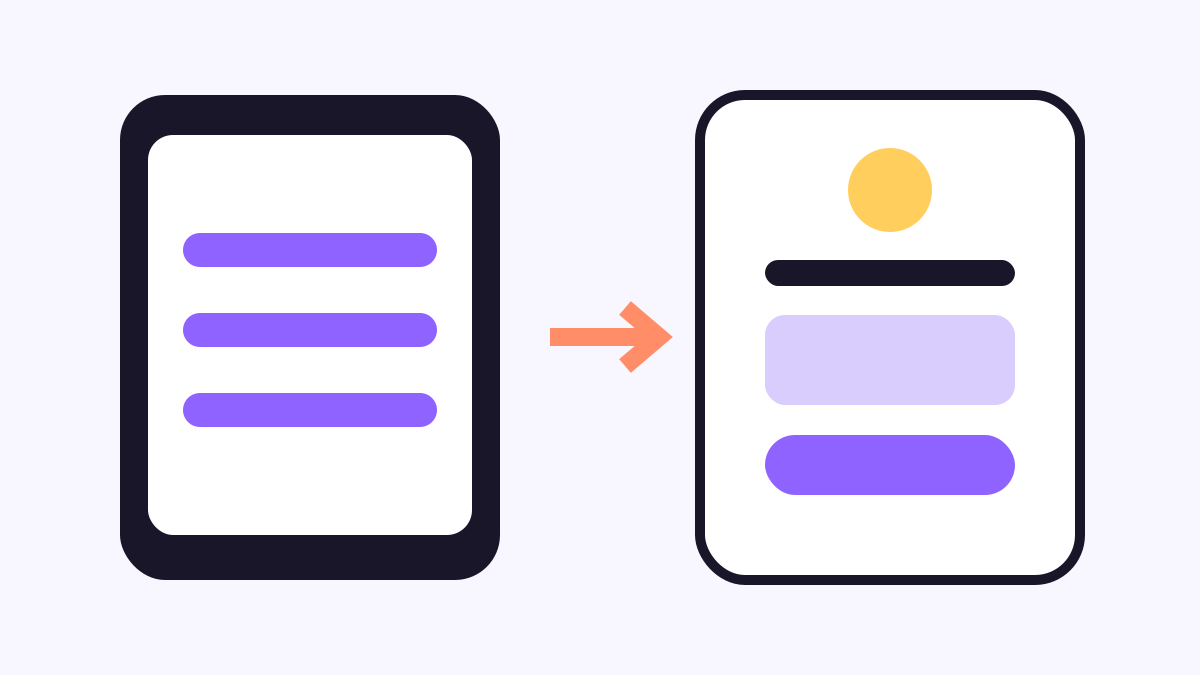
Create a table with three columns: visitor question, content needed and authoritative destination. If the question is “Where can I book?”, a descriptive link to the maintained booking page may be enough. If the question is “Which package fits?”, a short comparison on the bio page might help before the booking link.
Do not add a block because a tool offers it. Text, media, price information, forms and embedded content each introduce accessibility, performance and upkeep obligations. If a price changes, every place showing that price must be updated. If a form collects personal information, its purpose and handling must be clear.
Use the link-count guide to keep the first decision set manageable. Secondary information can sit lower on the page or on the destination that already owns it.
Test design control without losing consistency
Build the same page concept in both products. Use one logo, two brand colours, one heading style and a small set of links. Check whether each editor helps you maintain that system across desktop preview and an actual phone.
Taplink's broader block model may offer more layout possibilities. That matters when the page must carry a distinctive campaign presentation. It also makes governance important: define spacing, button style, image treatment and how new sections are approved.
Belink may suit a team that prefers a smaller number of decisions and wants frequent updates to remain predictable. Whichever product you use, the visual system should support scanning. Decoration should not push the primary action below unrelated content.
Review analytics as directional evidence
Both products may expose usage or click information depending on the current plan. Confirm the exact fields, retention period and consent requirements before relying on them. Do not compare numbers collected with different definitions as if they were identical.
For a routing page, useful questions include which destination receives attention and whether the first action matches the campaign priority. For a deeper landing page, also examine whether visitors reach important lower sections and whether the page adds unnecessary steps.
Analytics cannot prove why a person clicked or left. Combine them with link testing, destination performance and occasional user observation. Avoid redesigning the whole page after a small number of visits.
Compare maintenance and campaign changeover
Run a practical update: replace a seasonal promotion, move one destination to the top, retire an expired link and change one image. Time the edit, preview and signed-out verification in both products.
Record every place affected by the campaign. A social caption may promise an offer, the bio page may repeat it and the destination may contain the transaction details. Decide which system holds the definitive terms and remove expired claims everywhere.
The link-in-bio launch checklist covers destination testing, ownership and handoff. Use the same checklist for routine changes so the page does not depend on one person remembering its history.
Compare current plans and total cost
Check the live plan pages on the day you decide. Include custom-domain needs, analytics, page blocks, forms, collaborators, branding controls and any transaction or third-party service involved in the workflow. Avoid a permanent numeric comparison because prices and inclusions change.
Count labour as well as subscription cost. A broader page can replace another landing-page tool, which may justify it. The same page can also create duplicated copy, more approvals and slower campaign changes when the business only needed a reliable list of destinations.
Test one real campaign for a month if possible. Measure setup time, updates, broken-link checks and whether staff can maintain the page without special knowledge.
A fair 30-minute comparison test
- Write the three main visitor tasks and select one campaign.
- Build the same ordered destination set in both products.
- Add only the context required to complete the task.
- Test identity, hierarchy, keyboard focus, large text and tap targets.
- Open every destination while signed out on a real phone.
- Apply one campaign update and measure the full verification time.
- Compare the current plan needed for the actual page.
Score clarity, route length, mobile readability, ownership, update effort and useful evidence. Do not award points for blocks the business will not maintain.
Final recommendation
Belink is the clearer candidate when the profile needs a concise, frequently updated route to authoritative destinations. Taplink is the clearer candidate when the bio page itself must carry a richer landing-page experience and the team has a reason and owner for that extra content.
Neither choice is permanent. Keep destinations, copy and media documented so the page can move later. The best setup is the one a team can keep accurate after the launch excitement has passed.
Frequently asked questions
Is Taplink the same as Belink?
They overlap as bio-page tools, but Taplink publicly emphasizes a broader block-based landing-page experience. Belink is suited to a focused link-routing page.
Which is better for a small business?
Choose from the visitor journey. Belink fits a short route to maintained destinations; Taplink may fit a business that needs more information or interaction on the bio page itself.
Should a bio page contain prices?
Only when someone owns the information and can keep it synchronized with the authoritative offer. Otherwise link to the maintained pricing or product page.
How often should the page be reviewed?
Review it after every campaign change and at least monthly. Open every destination while signed out and remove expired or duplicated choices.