Link in Bio for Salons: Bookings, Services, Reviews, and Location
A salon bio page should make the next appointment easier to book, not recreate the entire salon website on a phone screen.
For most hair salons, nail studios, barbers, brow and lash businesses, spas, and independent stylists, the useful order is simple: show who you are, make Book an appointment the clearest action, give new clients enough information to choose a service, show representative work, then make location and contact details easy to find.
A focused link in bio can connect that journey from Instagram, TikTok, Facebook, a QR code, or an email signature without forcing visitors to hunt across several profiles.
The best salon bio page answers five questions quickly
A first-time client usually needs answers to five practical questions:
- What kind of salon is this?
- Can I see the services and prices?
- How do I book?
- Does the work match what I want?
- Where is the salon, and how do I contact it?
If the page answers those questions in roughly that order, it is already more useful than a long stack of generic buttons.
The mistake is treating every destination as equally important. Your Instagram, Facebook, YouTube, map pin, booking platform, price list, product shop, WhatsApp, reviews, team page, and latest promotion may all be valid links. They do not all deserve the same visual weight.
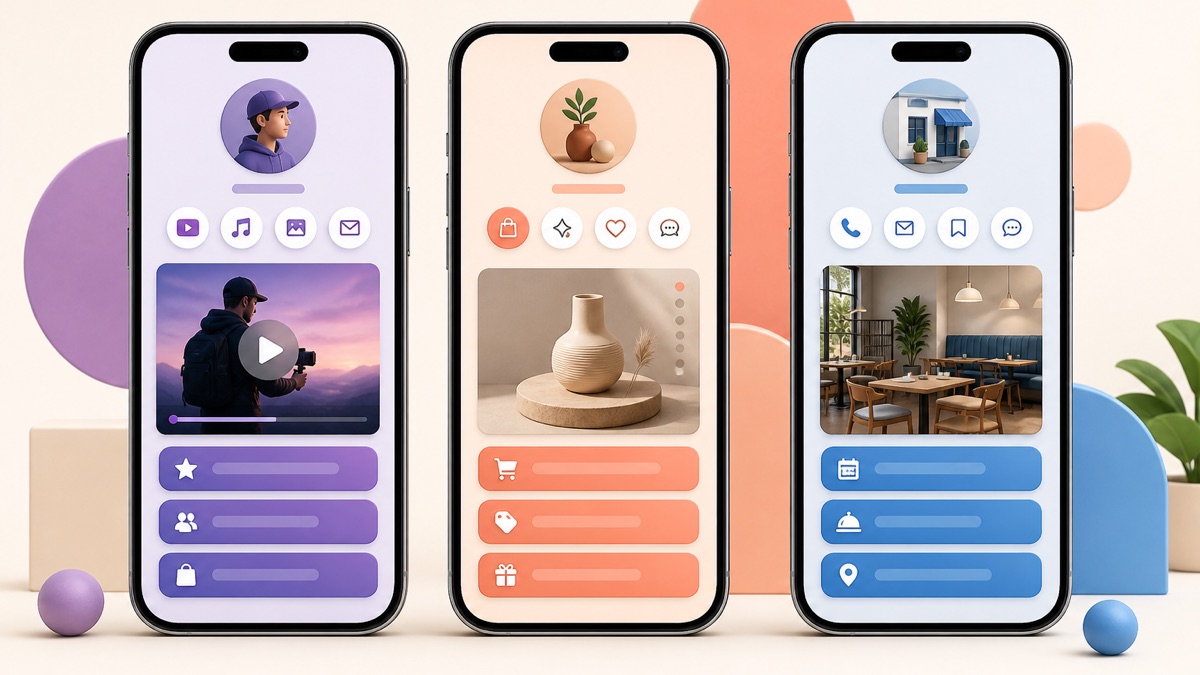
Visual 1: A focused mobile page gives the main customer action more attention than secondary destinations.
Start with the booking journey, not the list of URLs
Before adding buttons, decide what a qualified visitor should do first.
For many salons, that answer is Book an appointment . But the correct first action can change with the business model.
A walk-in barber might lead with Check today's hours or Get directions . A color specialist may lead with Request a color consultation before allowing direct booking. A bridal stylist may lead with Check wedding availability . A nail artist with a limited release schedule may need View next booking date .
The first button should describe a real next step and open a destination that can complete or clearly advance that step.
Avoid mismatches such as:
- "Book now" opening a general homepage;
- "View prices" opening an Instagram profile;
- "Get directions" opening a contact form;
- "See available times" opening a static services page.
Clear labels reduce uncertainty. The W3C's guidance on link purpose is written for accessibility, but the same principle is useful here: link text should make its destination understandable.
A practical link order for a salon
A useful default structure is:
| Position | Link or section | What it helps the client do |
|---|---|---|
| 1 | Book an appointment | Move directly into the booking flow |
| 2 | Services and prices | Check whether the salon offers the right treatment and budget |
| 3 | Recent work | Judge style, finish, or specialist fit |
| 4 | New-client information | Understand deposits, patch tests, preparation, or consultation rules |
| 5 | Location and hours | Plan the visit |
| 6 | Contact for special questions | Ask about accessibility, timing, corrections, group bookings, or other exceptions |
| 7 | Social profiles | Continue following the salon after the practical actions |
That order is a starting point rather than a rule. A spa may need treatment categories before booking. A barber with simple pricing may not need a separate services button. A salon inside a hotel may need location instructions higher on the page.
The broader principle from our small-business bio page setup guide still applies: choose one primary customer task, then use supporting links to remove the questions that prevent someone from completing it.
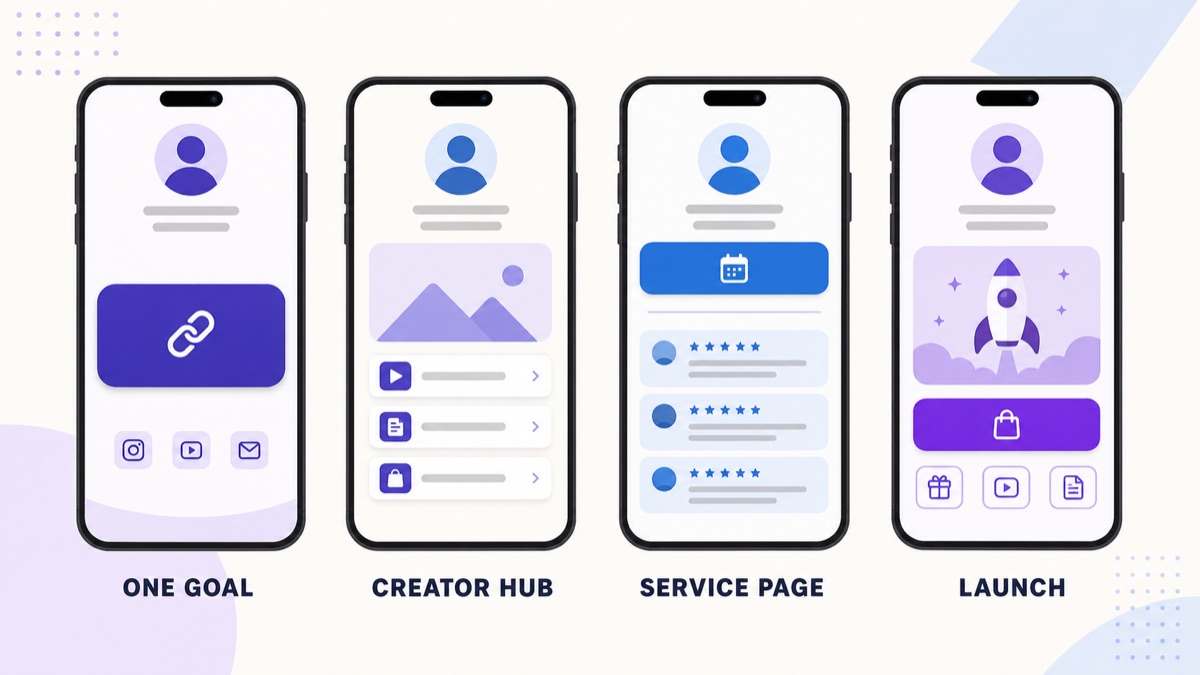
Visual 2: The page hierarchy should change when the business goal changes; a service business normally leads with one action and uses proof and support underneath.
Services and prices should help people choose, not overwhelm them
New clients often want to know whether you provide a specific service before they commit to booking.
That does not mean the bio page needs a separate button for every haircut, color treatment, manicure, facial, extension service, or add-on.
If your booking system already contains a clear service menu, one Services and prices button may be enough. If the salon has several distinct specialties, group them in a way a customer understands:
- Haircuts and styling
- Color and highlights
- Extensions
- Nails
- Brows and lashes
- Facials or skin treatments
- Bridal and event services
Use the same service names across your bio page, booking system, website, and social content where possible. A visitor who watches a Reel about "balayage" should not need to guess whether the booking system's "creative color package" is the same service.
For services that require consultation, say so before the visitor enters the booking flow. A label such as Book a color consultation is more useful than sending everyone to an appointment list that later rejects the booking.
Use recent work as decision support
Salon marketing is visual. A person choosing a stylist, nail artist, barber, or brow specialist often wants to see whether the finished work matches the style they are considering.
The bio page does not need to become a full portfolio. Instead, link to a maintained gallery, a relevant Instagram highlight, or a portfolio page that shows representative work.
Choose examples that support the services you actually want to book.
If your current campaign promotes short hair, vivid color, natural nails, bridal styling, or skin treatments, make sure the supporting visual destination reflects that offer. Old work can still be beautiful while being unhelpful to the visitor's current decision.
Avoid relying only on before-and-after photos without context. Where appropriate, explain the service, maintenance, or consultation requirement on the destination page. Images can create interest; the next page should help the visitor understand what they are seeing.
Make new-client rules visible before the appointment
A new customer may need more information than a returning client.
Useful topics can include:
- deposit or cancellation policy;
- whether a consultation is required;
- patch-test requirements;
- what to do before a color or treatment appointment;
- whether children or additional guests can attend;
- accessibility information;
- accepted payment methods;
- how late arrivals are handled.
Do not turn the bio page into a policy manual. Link to one maintained New client information page when several rules matter.
This is especially useful when the booking platform is optimized for choosing a time but does not explain the salon's process clearly.
Location deserves more than a street address
Local businesses lose conversions when a visitor is interested but cannot confidently plan the visit.
A good location route should answer:
- exact address;
- whether the salon is inside another building;
- parking or nearest public transport;
- opening hours;
- any entry instructions that matter;
- whether the map pin is accurate.
If Belink's location card fits your setup, it can present a named place and a directions action without making the address the visual focus of the whole page. Keep the stored address accurate even when you use a shorter public description.
For salons with several branches, do not make customers guess. Use clearly named locations such as Book — Downtown and Book — Westside , or route to a location selector that shows the difference before booking.
Keep contact as a fallback, not the main workflow
Messaging is useful when a customer has a question that the normal booking flow cannot answer.
Examples include:
- correcting an existing appointment;
- accessibility requirements;
- group bookings;
- bridal enquiries;
- color corrections;
- unusual service combinations;
- last-minute availability.
But if every routine appointment requires a direct message, your bio page is not reducing friction.
Use the booking route for standard appointments and keep WhatsApp, phone, email, or another monitored channel as a clearly labeled fallback. For example, Ask about color correction is more informative than Message us .
Only publish communication channels the salon actually monitors.
Reorder the page when the campaign changes
A salon bio page should stay at one stable URL while the priority inside it changes.
Before Mother's Day, a spa may feature gift cards. Before wedding season, a bridal specialist may feature consultations. A newly opened location may temporarily move directions and opening offers higher. A stylist launching a new service may put that service page above the general booking button for a short campaign.
The page should still remain understandable to someone who did not see the campaign post.
Our seven-step method for organizing links on a bio page is useful when the page has accumulated too many promotions, old booking routes, and duplicate destinations.
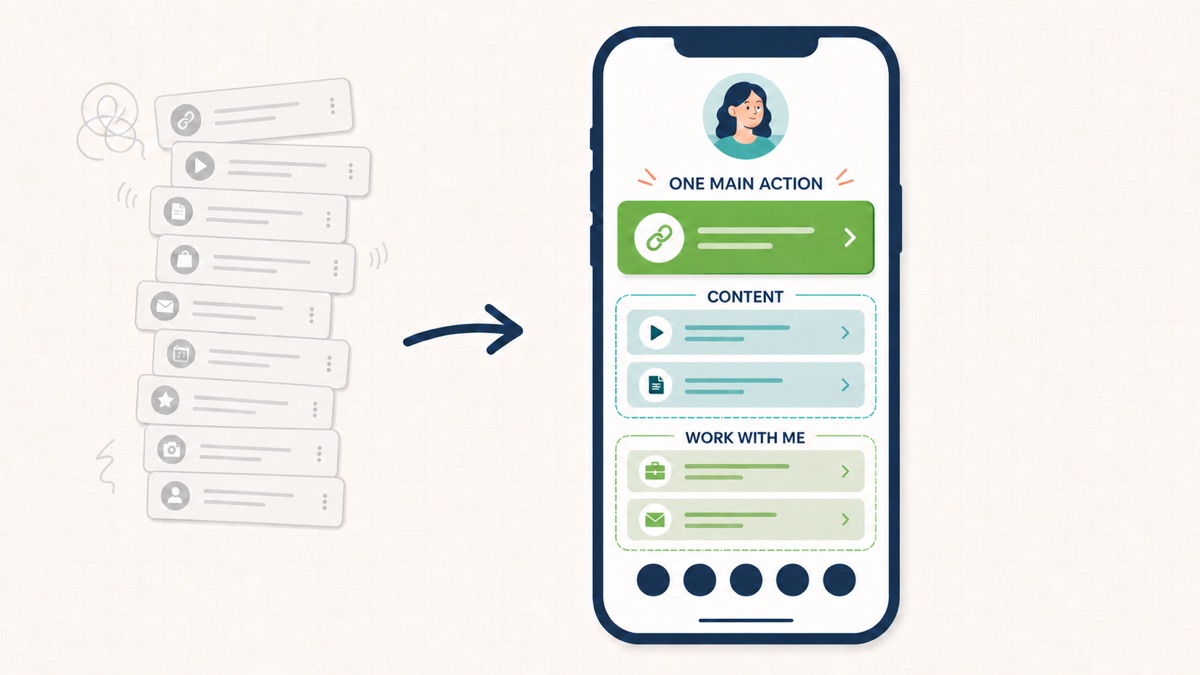
Visual 3: Organizing links by priority makes it easier to remove expired promotions and keep the booking path obvious.
Salon bio page checklist
Before publishing or refreshing the page, check it on a phone while signed out of every business account.
- Does the page clearly identify the salon or stylist?
- Is the primary booking action visible without searching?
- Does the booking button open the correct public booking destination?
- Can a new client understand the services and approximate pricing?
- Is recent work easy to find?
- Are consultation, deposit, or patch-test requirements explained where necessary?
- Does the location link open the correct map pin?
- Are hours and branch names current?
- Is there one monitored contact route for exceptions?
- Have expired offers and old event links been removed?
- Do button labels explain what happens after the tap?
- Are social icons below the practical customer actions?
If several answers are no, do not solve the problem by adding more buttons. Remove uncertainty first.
Frequently asked questions
What should a hair salon put in its Instagram bio link?
Start with the salon identity and primary booking action. Then add services and prices, recent work, new-client information when needed, location and hours, and one maintained contact route. Put social profiles below those practical actions.
Should a salon link directly to its booking app?
Yes when booking is the main visitor goal and the booking page gives customers enough information to choose the correct service. If new clients need prices, consultation rules, examples, or location information first, use the bio page as the routing layer and keep booking as the first action.
Should every salon service have its own button?
Usually not. Group related services or link to a maintained service menu. Separate buttons are useful when the services represent genuinely different customer journeys, such as bridal enquiries versus routine appointments.
Where should salon reviews go?
Use reviews as supporting proof rather than the first action. A new client should normally be able to see services and book before scrolling through a large collection of testimonials.
How often should a salon bio page be updated?
Review it whenever prices, staff, locations, booking systems, hours, policies, or campaigns change. Also check it periodically for expired promotions and broken links.
A salon bio page works best when it feels less like a directory and more like a receptionist: it helps the visitor understand the next step, answers the questions that matter before booking, and sends the client to the right destination with as little confusion as possible.