Belink vs Beacons: Which Link-in-Bio Workflow Fits Your Creator Business?
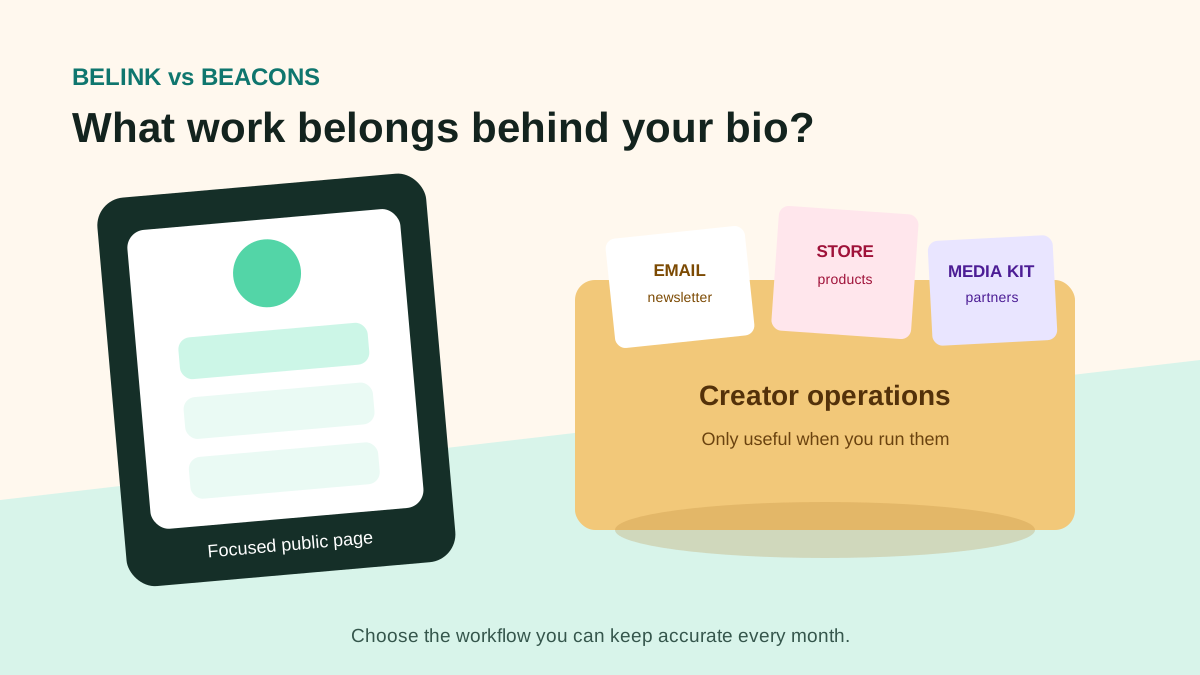
Belink and Beacons can both publish one page for the destinations behind a social profile, but they are designed around different operating scopes. Belink is a focused page-building choice for organizing links and calls to action. Beacons presents a wider creator-business platform that combines a customizable bio page with selling, email marketing, media-kit, partnership and other tools.
The practical decision is not which homepage lists more features. It is whether you need a clear public page or intend to run several parts of your creator business inside the same platform. A focused link in bio page may be easier to own when your store, newsletter, bookings and analytics already live elsewhere. Beacons may suit a creator who wants its broader, plan-dependent toolkit.
Quick answer
Choose Belink when your main job is arranging a concise page around destinations you already use, then keeping its priority and labels current. Choose Beacons when you specifically want to evaluate built-in commerce, email, media-kit, partnership and creator-management functions alongside the bio page.
Neither choice eliminates operational work. A store needs product ownership and customer service. An email list needs permission, content and deliverability practices. A media kit needs accurate audience information. A public page needs working destinations. Select only the tools you can maintain and verify the exact features and fees in the current plan before paying.
Our previous Belink versus Linktree comparison focuses on small-team publishing. This guide asks a different question: should the bio page stay a focused routing layer, or become the centre of a creator-business stack?
Compare the operating model first
Write down the recurring jobs behind your profile. Typical examples include updating a campaign link, selling a digital product, collecting email subscribers, replying to brand enquiries, sharing a media kit, promoting an event and reviewing clicks.
Mark each job as handled, missing or worth moving. If a working store, newsletter and booking system already exist, replacing them may create migration and support work without improving the visitor journey. In that case, the bio page only needs to direct people clearly.
If several jobs are genuinely unserved, an all-in-one platform can reduce the number of systems. The tradeoff is dependency: pricing, exports, workflow and audience data become more connected to one provider. Review how you would retrieve important records and continue serving customers if you later change tools.
Belink: a focused publishing layer
Belink is a practical candidate when the page should remain a clear entrance to other destinations. Prepare the URLs, write useful labels, order the primary action first, add essential supporting routes and test the result on a phone.
That scope can make ownership easy to explain. One person reviews page accuracy; the systems behind each button retain their existing owners. The shop team maintains the store, the newsletter owner maintains email, and the events team maintains ticket information.
Focus still requires editorial discipline. Remove expired campaigns, avoid vague labels, check signed-out access and keep the first action aligned with the current goal. The guide to organizing links on a bio page provides a repeatable order for that review.
Beacons: a wider creator-business hub
Beacons' current official site positions the product as more than a bio page. It describes tools for selling merchandise, digital products and courses, creating media kits, handling brand partnerships, sending newsletters, automating direct-message replies and reviewing creator analytics.
Its public pricing material currently shows a free tier and a paid Creator Plus tier, with features and seller-fee treatment that differ by plan. Those details can change. Check the live pricing page and checkout for the fee, payment, domain, email and membership features you intend to use.
Breadth can be valuable when the creator will operate those tools as one system. It can also make the comparison misleading if you only need five links. Do not count a store, media kit or automation as a benefit unless it replaces a real task you would otherwise perform.
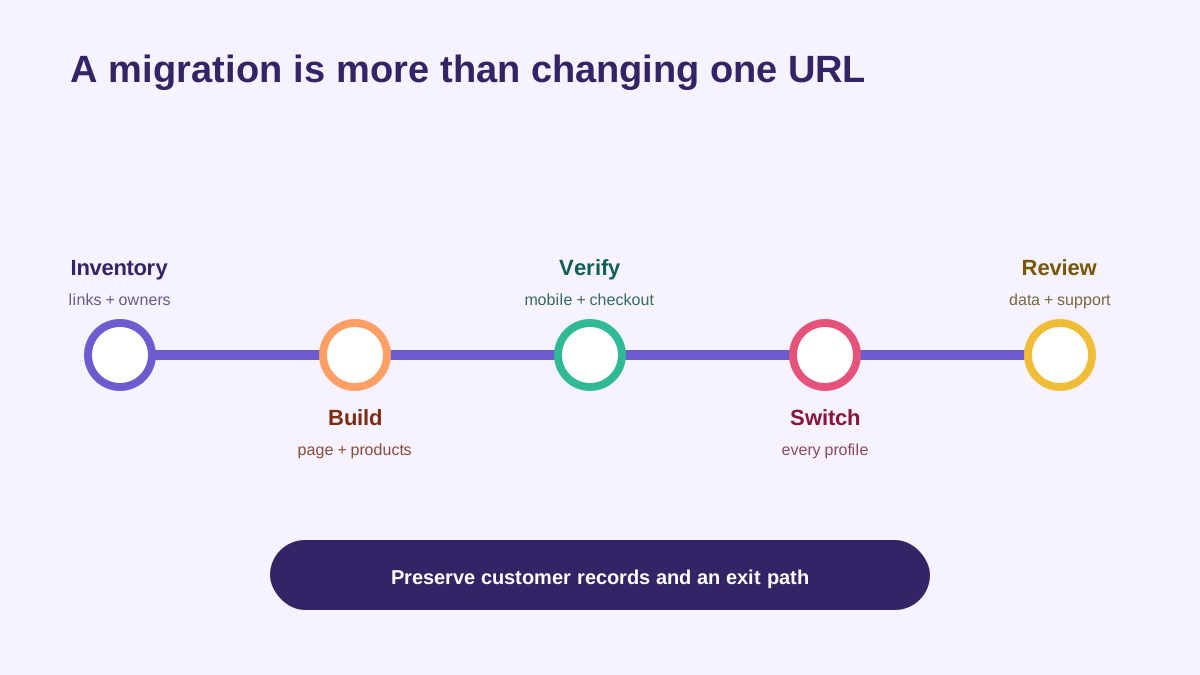
A wider platform decision includes data, customers and operating routines—not only page design.
Compare selling with the complete transaction
If you sell, test one representative product from discovery to fulfilment. Review product setup, tax and payout responsibilities, accepted payment methods, buyer confirmation, refund handling, customer records, file delivery and support.
Beacons' current homepage describes selling digital products, merchandise and courses, with seller-fee treatment that varies between its free and paid plans. Verify the current terms for your country and product type. A percentage fee, subscription cost and payment-processing fee answer different questions; include all of them in the maintained-year calculation.
Belink can route visitors to an existing store or sales page. That is attractive when the selling system already handles tax, inventory, delivery, customer support and reporting. It is less attractive when the external path is slow, confusing or poorly matched to mobile visitors.
Compare audience ownership and email work
An email sign-up is not simply another button. Check consent language, confirmation, segmentation, sending limits, unsubscribe handling, domain authentication, export and the workflow for responding to data requests.
Beacons presents email marketing and audience tools as part of its creator platform. Test the exact plan limits and whether the workflow matches the emails you will realistically send. An unlimited allowance has little value without a content routine and permission-based list.
With Belink, the page can direct visitors to an email provider you already use. That keeps the public route simple and preserves the established email workflow. The cost is another system and a handoff between the page and form, so test that route on mobile.
Media kits and brand partnerships
A media kit can help a creator present audience, content and contact information to potential partners. The important question is whether its figures, examples, availability and contact details stay accurate.
Beacons promotes an auto-updating media kit and partnership tools. Confirm which data sources are connected, which fields update automatically and which claims still need manual review. Do not publish an audience statement merely because a template contains a field for it.
Belink can link to an existing media kit or partnership page. That is sufficient when the document already has an owner and update schedule. Use a clear label such as “Brand partnership information,” and keep private rate details behind the access method your business prefers.
Design and mobile clarity
Build the same core page in both products before judging themes. Use the same profile description, primary link, supporting links and imagery. Check label wrapping, contrast, tap targets, load time and the amount of scrolling before the main action.
Beacons offers broad customization and a platform designed around creator branding. Belink supports a focused public page. More visual control is useful only when it improves recognition or hierarchy. Animation, decorative sections and embedded media can also push important links below the first screen.
Ask someone unfamiliar with the page to find the current priority without coaching. Then make a time-sensitive update, publish it and verify the public result while signed out.
Cost and dependency
Calculate twelve months. Include subscription fees, seller fees, payment processing, custom domains, email requirements, migration time and the operational cost of several separate tools.
A free tier can be appropriate for testing, but document its current limits and branding. A paid all-in-one product can be economical when it replaces several subscriptions. A focused page can be economical when the existing stack is stable and you do not want to migrate customer-facing work.
Also plan an exit. Save your destinations, product records, subscriber data where permitted, media-kit source information and public profile list. The launch checklist is useful when switching the destination behind social profiles.
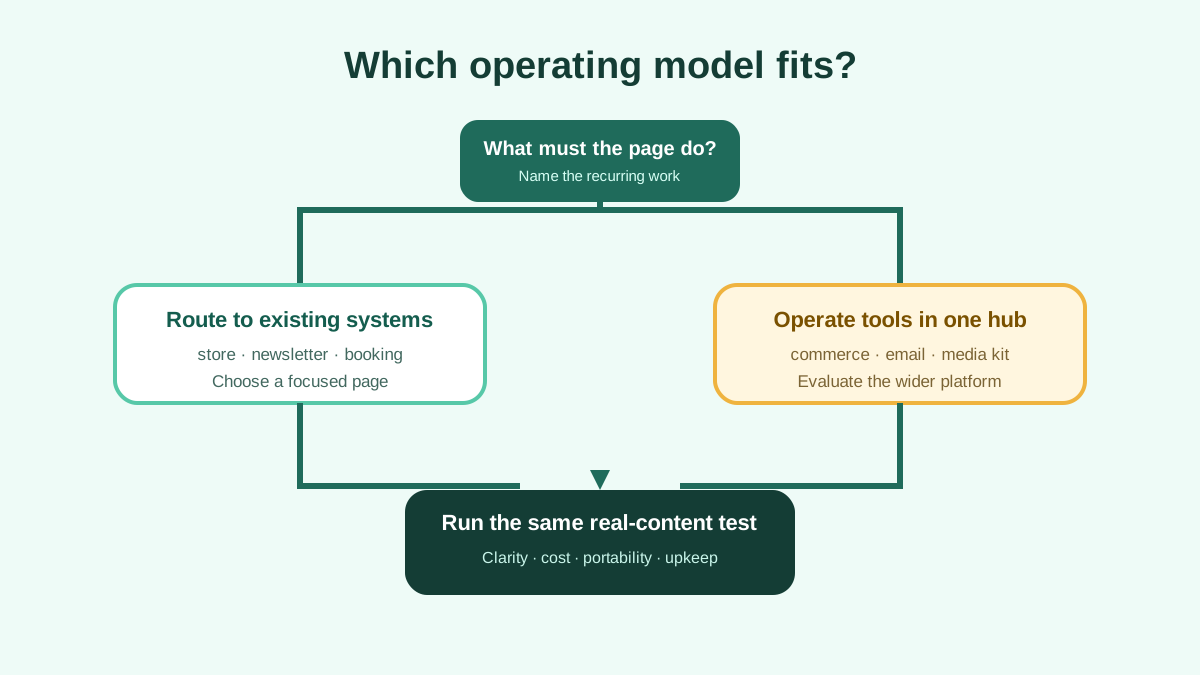
Choose according to the work you will operate every month, not the longest feature list.
A fair test
Use seven real destinations and one current campaign. Build the page in both tools. If commerce matters, add one test product without publishing a misleading live offer. If email matters, review the sign-up, confirmation and export workflow. If partnerships matter, create a sample media-kit record using information you can verify.
Score each option for public-page clarity, update speed, required business tools, mobile performance, data portability, current cost and maintenance confidence. Write evidence beside each score.
Belink is the stronger candidate when the page should act as a clean routing layer across an established stack. Beacons is the stronger candidate when its broader creator tools replace work you genuinely intend to run there. The right result should remain accurate after the launch excitement is over.
Frequently asked questions
Is Beacons only a link-in-bio tool?
No. Its official site currently presents a wider creator platform with commerce, email, media-kit, partnership and other tools. Availability and limits vary by plan.
Can Belink link to my existing shop or newsletter?
Yes. Use a clear label and the public destination you already operate, then test the full mobile path. The external service remains responsible for its own checkout, email or booking workflow.
Which is better for a new creator?
Start with the smallest system that covers a real goal. Belink suits a focused page linked to existing destinations. Beacons may suit a creator who is ready to operate several of its built-in business tools.
Should I migrate everything into one platform?
Only when consolidation solves a real problem. Review data export, fees, customer support, ownership and the work required to keep each module accurate before migrating.