Belink vs Later: Link-in-Bio Page or Social Media Suite?
Belink and Later both give social visitors one mobile destination, but they solve different operating problems. Belink is a focused link in bio publisher for arranging links, media and documents on one branded page. Later places its bio page inside a broader social-media system for scheduling, linked Instagram and TikTok posts, collaboration and analytics.
Choose Belink when the public page itself is the main job and you want a 30-day no-card trial followed by optional one-time lifetime publishing. Choose Later when the same team also needs a social calendar, publishing workflow, connected post feeds or deeper plan-based social analytics. Neither is universally better; the better fit is the workflow your team will actually maintain.
This comparison uses the public Belink site and Later's official product, pricing and help pages checked on November 17, 2026. Features, limits and prices can change, and Later notes that legacy or package-based subscriptions may differ from its standard plans. Confirm the live offer before paying.
The answer in one minute
| If your priority is... | Start with... | Why |
|---|---|---|
| One clear page for links, video and documents | Belink | The product is centered on the public profile page |
| Clickable Instagram or TikTok post feeds | Later | Linked social posts are part of its Link in Bio model |
| A social calendar plus approval and publishing tools | Later | The bio page sits inside a wider social workflow |
| No recurring subscription for the page | Belink | Its current public offer includes one-time lifetime publishing |
| Multi-user social operations and long analytics history | Later | Higher plans add users, social sets and broader reporting |
Do not decide from this table alone. Build one real campaign in both products, then test the update and verification work that happens after launch.
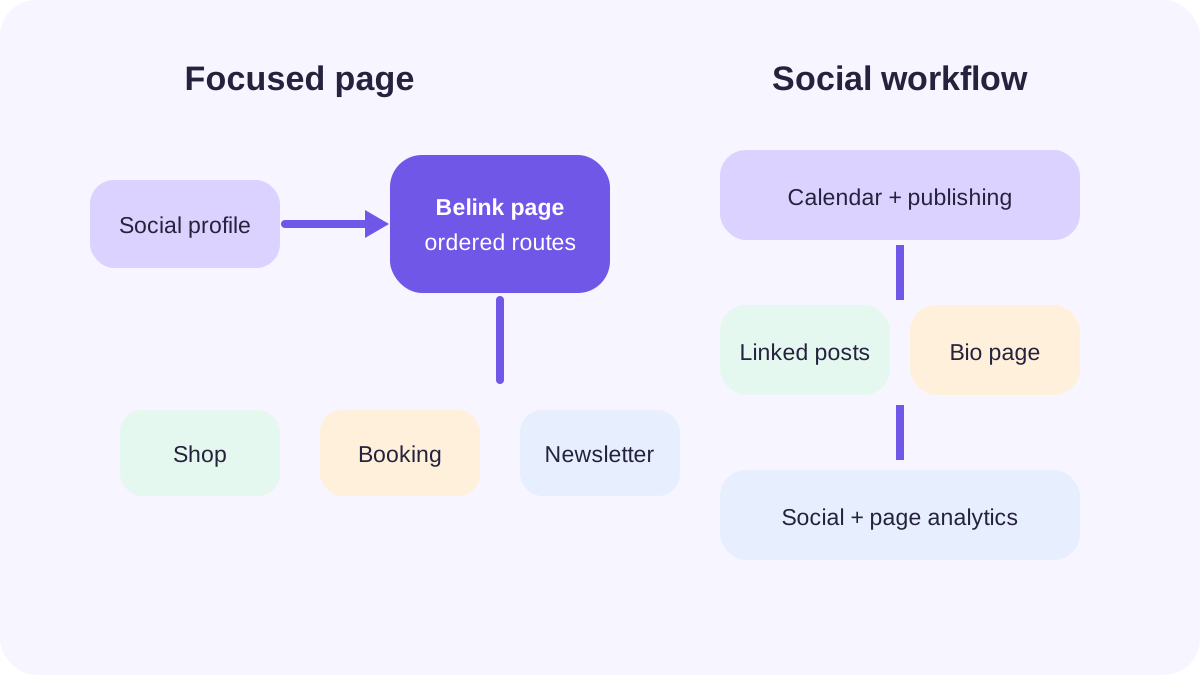
Belink concentrates on the public destination; Later connects the destination to a wider social publishing system.
Start with the job, not the feature list
Write one sentence describing what must happen after someone taps your social profile. A musician may need streaming, ticket and mailing-list routes; a studio may need bookings and directions; a social team may need each post to lead to a specific product.
The first two jobs can work well as a short routing page. The third depends on a relationship between published social content and destinations, which makes Later's linked-post model relevant. Later's current help documentation describes unlimited buttons, linked Instagram and TikTok posts, featured social content, design controls and analytics, with additional capabilities varying by plan.
Belink focuses on unlimited links, themes, click analytics, video embeds, document sharing and a custom username. It fits when the shop, booking system or website owns the detailed experience and the bio page only routes people clearly.
Compare the content model
Belink begins with destinations. You add the current pages a visitor may need, write descriptive labels and order them by priority. Video and documents can support the page, but the core model remains a focused profile that points outward.
Later combines buttons with linked social posts and featured media. That helps visitors reconnect a shoppable or campaign post with its destination. Its official plan documentation also lists button groups, featured video and design controls.
The extra context is valuable only when it stays current. A linked feed can reduce hunting, but it also creates another surface to review when a product sells out, a campaign ends or a destination moves. Decide which system owns the truth: the social post, the bio page or the final product page.
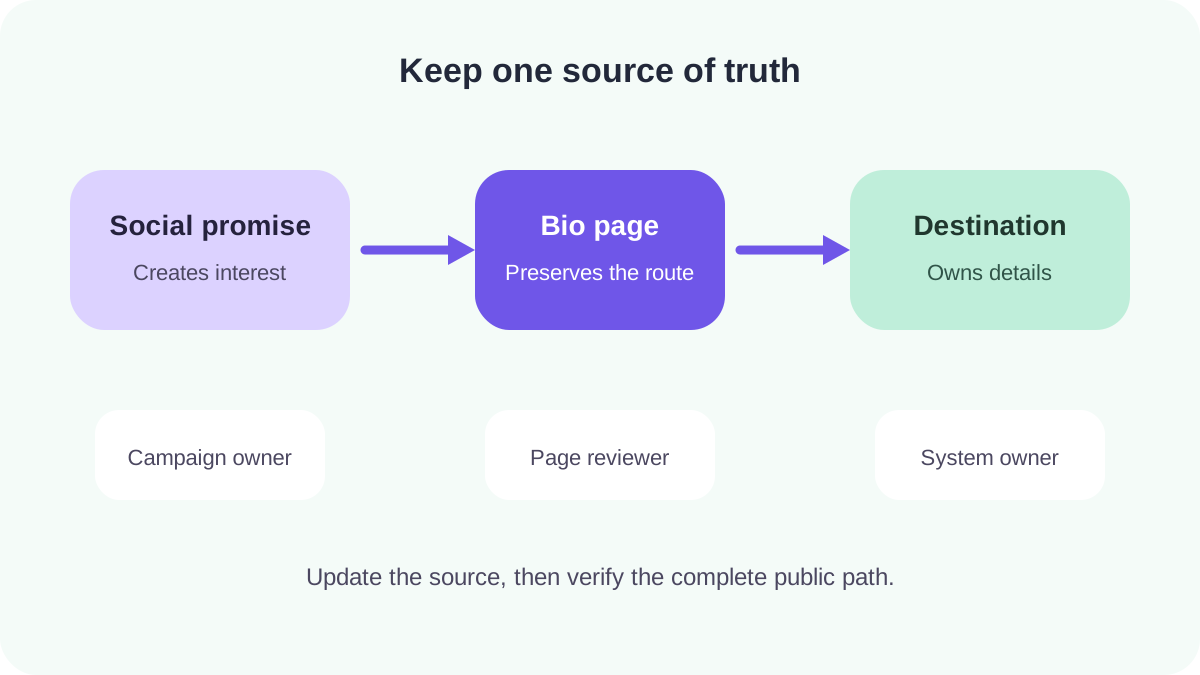
Keep prices, availability and policies on the destination responsible for them; let the bio page preserve the route.
Run the same campaign test
Use six real destinations: one permanent route, one campaign, one media item, one signup, one support destination and one social profile. Write the labels first so the test compares tools rather than two content strategies.
In Belink, build the ordered page, apply a theme, add the relevant media or document, preview it on a phone and publish. In Later, create the same buttons, connect only the social feeds required for the campaign and feature the post that should lead the visitor journey.
Then replace the campaign, move a destination to the top and retire the old route. Time the cycle from edit to signed-out phone verification. The link-in-bio launch checklist provides a reusable path test.
Publishing workflow and team ownership
Belink suits a compact workflow with one page owner and a backup. The editor collects approved destinations, updates their order and verifies the public result. Smaller scope reduces handoffs but not the need for review.
Later's paid plans extend into social scheduling, access groups, approvals and analytics. Its standard Growth plan is positioned for individuals and small teams needing collaboration and more publishing capacity. That can be efficient when the same people already manage the social calendar in Later.
Map four roles before paying for collaboration: requester, approver, publisher and reviewer. One person may hold several roles, but every campaign should still have an end date and a named owner. The older Belink versus Linktree workflow comparison includes a practical responsibility model that applies here too.
Analytics: choose a decision first
Belink includes click analytics in its current offer. That can answer a focused question such as which destination receives attention after a page change. Record the date, button order and campaign promise so the number has context.
Later's analytics guide lists page interactions, individual post and button clicks, location views and plan-dependent history. Broader social analytics can keep content and traffic analysis together. Confirm the plan and account type because availability differs.
Neither dashboard proves a sale, booking or signup by itself. A bio-page click is a handoff. Compare it with the destination's first-party result, and avoid changing the label, position and offer simultaneously if you want to understand what influenced behavior.
Cost: compare the maintained system
Belink currently offers a 30-day no-card trial and a $19 one-time lifetime publishing choice when paid before the trial. Recheck the live price before purchase.
Later offers Free, Starter, Growth and Scale plans. Link in Bio is one part; paid value also includes social publishing, analytics and, at higher levels, collaboration. Prices may reflect discounts, taxes or promotions, while older accounts can have legacy arrangements.
Compare the smallest complete system. If you already need scheduling, approvals and linked social posts, Later may consolidate work. If the requirement is simply a reliable profile page pointing to tools you already operate, paying for a broader suite can add cost and administration without shortening the visitor journey.
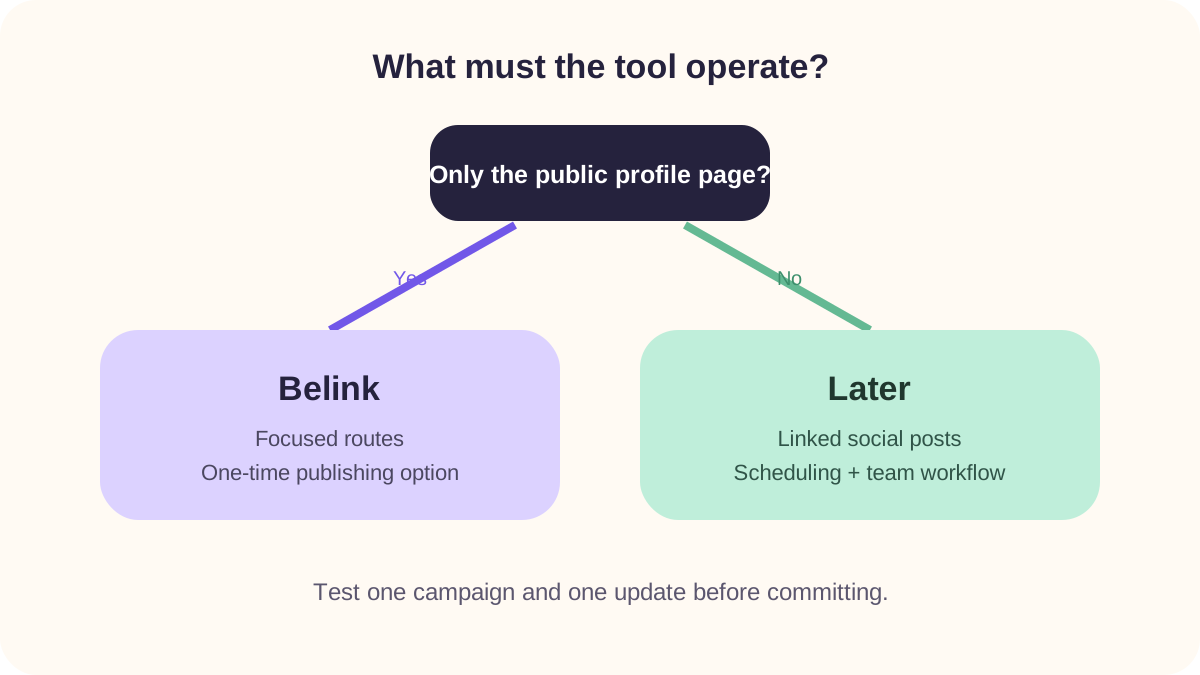
Choose the narrowest product that completes the real publishing job and can be reviewed consistently.
A 45-minute selection drill
Spend fifteen minutes on each of three stages:
- Build: publish the same six destinations and one current campaign.
- Change: replace the campaign, reorder the page and remove an expired route.
- Verify: test every destination while signed out on a phone and note the evidence available.
Score mobile clarity, editor speed, social-post connection, analytics needed, team ownership, current plan cost and maintenance confidence. Give extra weight only to requirements you can name. A feature should solve a documented problem, not merely look impressive in a plan table.
If the comparison page is becoming a miniature website, revisit the guide to choosing between a bio page and a website . Detailed service information, policies, archives and multi-step transactions usually belong at a maintained destination rather than inside an increasingly long profile page.
Final recommendation
Choose Belink for a focused public page, straightforward upkeep and a current one-time publishing model. Choose Later when Link in Bio needs to work inside an active social-media operation with linked posts, scheduling, collaboration or broader analytics.
The correct answer can change as the team grows. Keep a source list of destinations, owners and campaign dates so the page can migrate later. Whichever platform you select, test the public journey after every material change and remove routes that no longer serve a current visitor task.
Frequently asked questions
Is Later Link in Bio free?
Later currently lists a Free plan with a customizable Link in Bio page and introductory analytics. Its help documentation says free pages include Later branding, while paid plans add or expand capabilities. Confirm the live plan table for current limits.
Does Belink require a monthly subscription?
No. Belink's current public offer includes a 30-day no-card trial and an optional one-time lifetime publishing payment rather than an automatically renewing monthly subscription.
Which is better for Instagram product posts?
Later is the stronger candidate when linking individual Instagram or TikTok posts is essential to the workflow. Belink is the stronger candidate when a concise ordered page can route visitors to maintained product, shop or campaign destinations.
Can a small team use Belink?
Yes. Assign one page owner and a backup, record campaign start and end dates, and verify changed destinations while signed out. Choose a broader collaboration system only when the team has a documented need for roles, approvals or multiple social workflows.
How should I compare analytics?
Start with the decision you need to make, then verify the exact metric, history and plan that supports it. Treat a bio-page click as a handoff and use destination-side data for completed purchases, bookings or signups.