Link-in-Bio for Pop-Up Shops: Dates, Locations and What to Expect
A pop-up shop bio page should answer four questions quickly: when is the next event, where is it, what will be available, and where should visitors check for changes? Put the next confirmed event first, use a full date and a precise destination, then separate shopping, directions, and updates into clearly labelled links.
Temporary retail creates a different information problem from an always-open store. A customer may discover your post days after it was published. A venue may have several entrances. Stock may differ from your online shop, and an outdoor market may change its plan. Your bio page should reduce that uncertainty without pretending it controls the venue or event.
A link in bio page can organize the destinations you already maintain. Belink lets you arrange links to your website, store, social accounts, booking pages, and other public resources. The event organizer, map provider, shop platform, and your own team remain responsible for the information at those destinations.
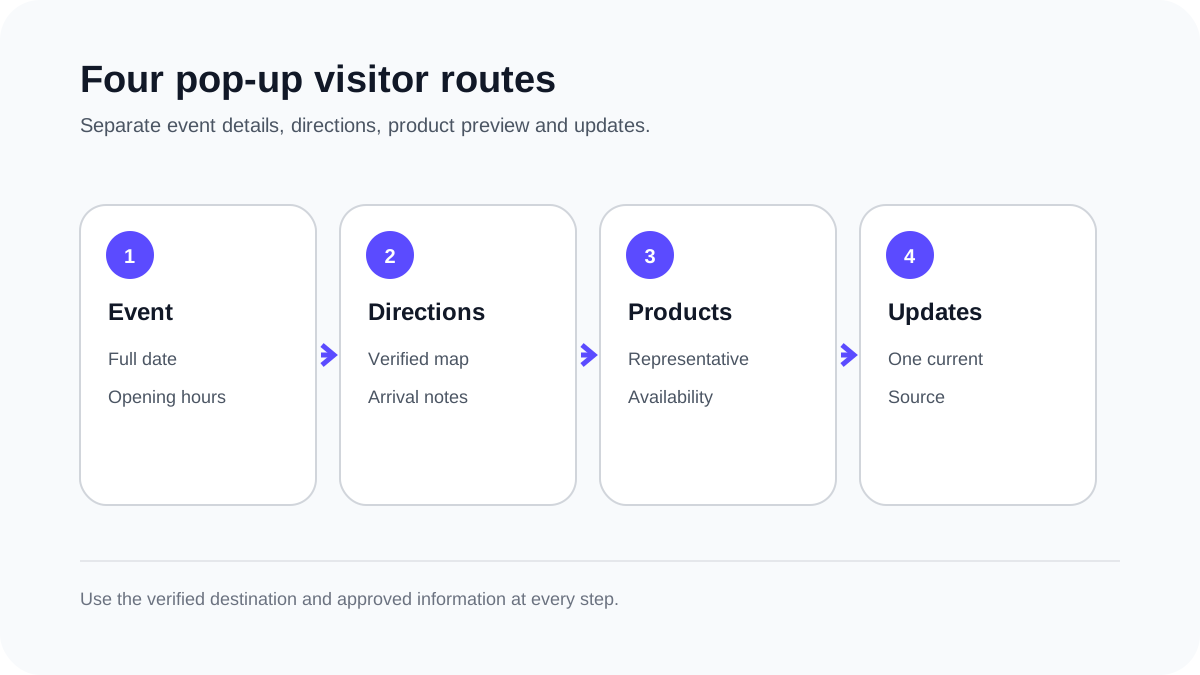
Give each visitor a direct route to the information they need before travelling.
Lead with the next confirmed event
The first commercial link should usually describe the next confirmed appearance. Write the event name, full calendar date, and venue in language a visitor can recognize. “Saturday pop-up” becomes unclear when a video is shared a week later; “October 17 — Riverside Makers Hall” stays interpretable.
Link to one dependable event page. That may be your own current-events page or the organizer's official listing. It should show opening hours, the full address, any ticket requirement, and current access information. If the organizer has not confirmed a detail, do not fill the gap with a guess.
Remove an expired event promptly or move it to a clearly labelled past-events archive. A visitor opening an older social post should not mistake last weekend's address for your next location. If no future date is confirmed, say so plainly and offer a useful alternative such as your online shop or update list.
The event-organizer bio page guide explains how schedules, venue information, and updates can work together when several event destinations are involved.
Separate directions from the promotional poster
A poster can create interest, but it is a weak substitute for usable directions. Link to a public map or venue page that opens well on a phone. Confirm the pin reaches the correct building rather than a district, shopping centre entrance, or similarly named venue.
Where a venue provides arrival guidance, include it on the event destination: floor, hall, booth, nearest entrance, accessibility information, or public-transport note. Use only details supplied or verified by the venue. Parking availability and fees can change, so send visitors to the current official information where possible.
Keep the button label concrete. “Map and directions” describes a task better than “Find us here.” If the venue is inside a larger market, distinguish the overall market address from your exact stall location. Do not advertise a stall number before allocation is final.
Preview the products without promising stock
Show the type of products visitors can expect, but distinguish a preview from a live inventory promise. A small collection page, lookbook, or event selection can help someone decide whether the trip is relevant. Label limited items honestly and avoid implying that every pictured product will remain available all day.
If customers can reserve items, link to the real reservation process and explain its terms at the destination. If you do not offer reservations, do not use a label such as “Hold this for me.” A direct “Preview the pop-up collection” link is useful without inventing a service.
An online shop can remain a separate route for people who cannot attend. The guide to link-in-bio pages for ecommerce brands covers how a campaign link and a broader storefront can serve different visitor intentions.
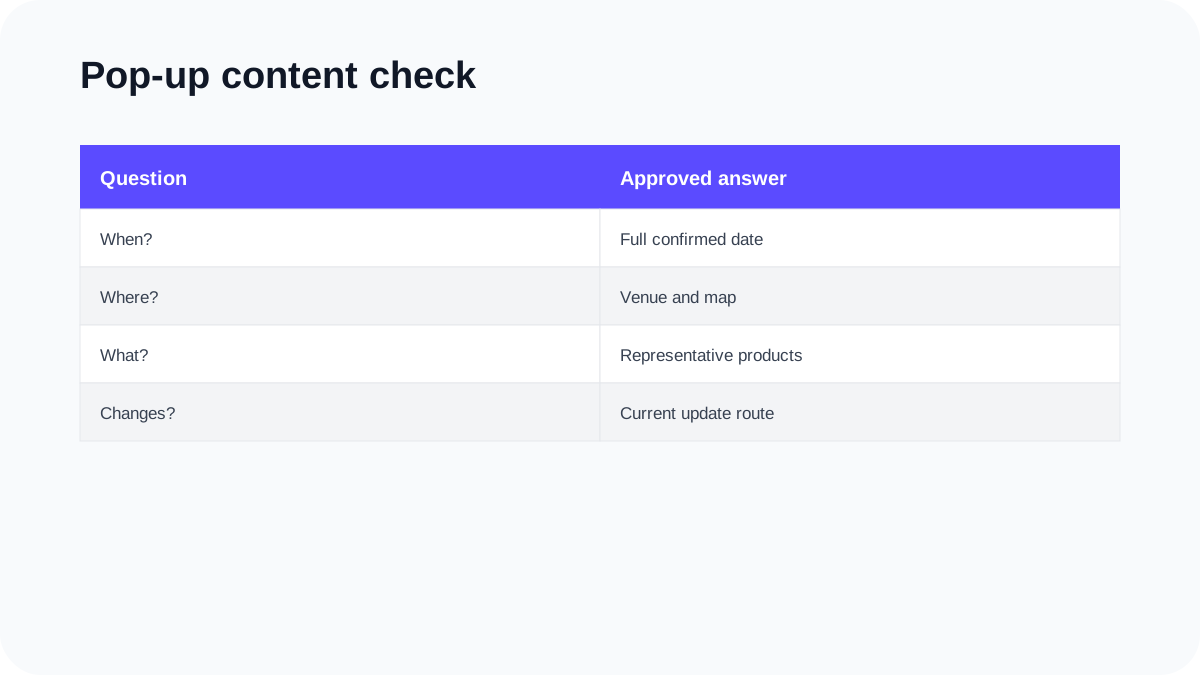
Check that the page describes the real event and the actual shopping options.
Explain what will be different in person
A pop-up may offer demonstrations, fittings, personalization, product samples, limited releases, or simply a chance to see items before buying. Describe only what is confirmed. A visitor should understand the value of attending without being pushed by an unsupported claim.
Keep this explanation short on the bio page and place details on the event destination. State any booking or age requirement clearly. If a demonstration happens only at certain times, publish those times in a readable format rather than embedding them only in a graphic.
For collaborative pop-ups, name the organizer and participating brands accurately. Link to the official event page for the complete list instead of copying information that will quickly become outdated. Make it clear which products and activities belong to your business.
Build an update route before you need it
Choose one place for late changes: a current event page, email update, or clearly identified social post. The bio page can point to that source with a label such as “Event updates.” Avoid spreading different instructions across several platforms.
Update the destination first, then revise the bio-page label if the change affects the main action. Use a timestamp when a weather, opening-hour, or location note is important. A visitor should be able to tell whether the message is current.
Do not remove the original event information without explaining the replacement. If the venue changes, show the new confirmed address and mark the earlier location as replaced. If the event is cancelled, say so directly and remove directions that could still send people there.
Prepare for the event-day phone check
Open the public bio page while signed out on a phone. Tap the event details, map, product preview, and update route. Confirm each destination is public, legible, and current. Check that the first screen identifies the next event without requiring visitors to open several links.
Test any printed QR code from the material that will actually be displayed. A sharp digital file does not prove that a small or low-contrast printed code scans reliably. Keep a readable written URL nearby for visitors who cannot or prefer not to scan.
Review your profile description too. If it names a city, product category, or availability status, make sure that wording still matches the event. The craft-seller bio page guide provides a related workflow for separating ready-to-buy work, commissions, and market dates.
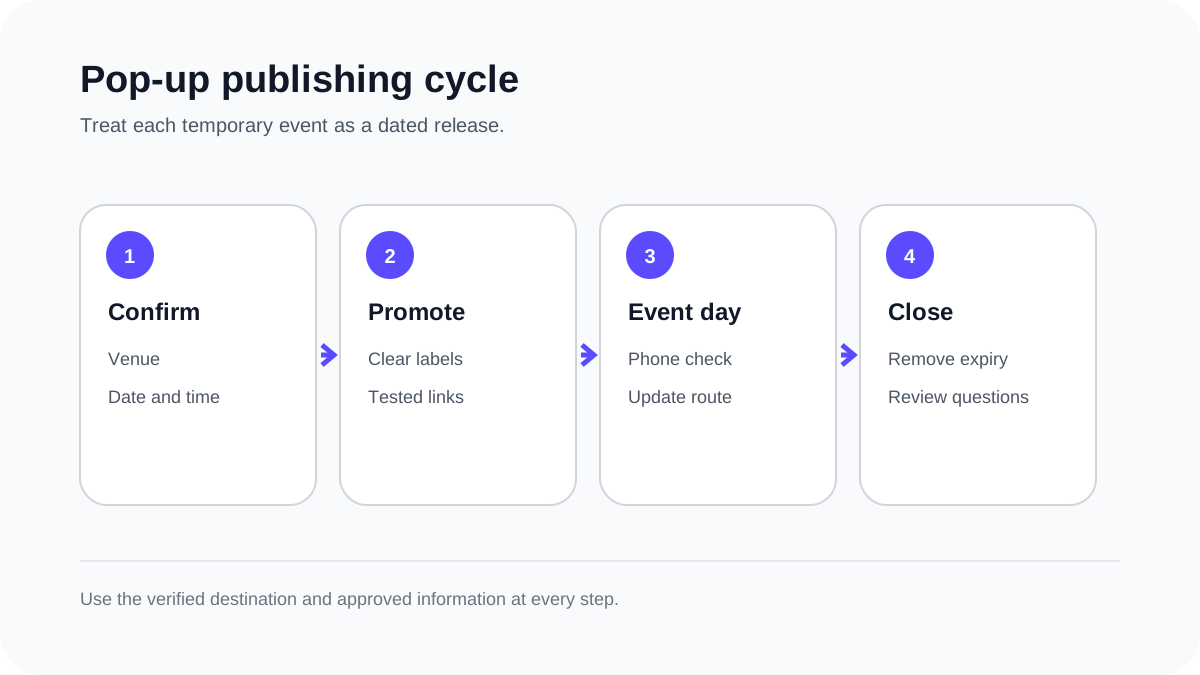
Treat every pop-up as a dated release with a clear beginning and end.
Keep the page useful after the doors close
After the event, remove expired directions and update stock on the systems that manage sales. Replace the main event link with your next confirmed appearance or a stable option such as the online shop. Keep past photographs in a gallery only when it is clear that the event has ended.
Review questions people asked at the stall. Repeated uncertainty about location, payment methods, product sizes, or collection options may reveal missing information for the next event. Add a short answer at the relevant destination rather than expanding the bio page into a long FAQ.
Where Belink click analytics are available in your account, they can show which links visitors selected. Compare that information with real enquiries and sales records in the systems where those actions happen. A map click suggests interest in directions; it does not prove that the visitor attended.
A compact pop-up page order
A practical order is: next confirmed event, map and arrival details, product preview, event updates, online shop, and a short story or contact route. Change the order when a different visitor task is genuinely more important.
Use descriptive labels and one destination per task. Do not add every social account merely to make the page look busy. The page succeeds when someone can decide whether to attend and reach the right information without interpreting vague buttons.
Frequently asked questions
Should the event link go above the online shop?
Usually yes while a confirmed pop-up is being actively promoted. After the event, restore the most useful current action rather than leaving an expired event first.
Can I use an Instagram post as the event page?
You can link to a current public post, but verify that it contains readable date, time, venue, and update information. A maintained event page is often easier to revise when details change.
Should I list every product that will be at the pop-up?
Only if you can keep the list accurate. A representative preview with careful availability wording may be more useful than a detailed list that becomes wrong during the event.
What should I do if the venue changes?
Update the authoritative event destination, state that the earlier location has been replaced, revise the bio-page label where needed, and recheck every promotional route that may still show the old address.